Choosing a daycare is one of the most emotional decisions a parent will ever make. They are looking for warm teachers, a clean and cheerful environment, clear communication, and a team they can trust with the most precious person in their life. That is why daycare marketing works differently from most other local businesses: parents research carefully, ask friends for recommendations, read reviews closely, and visit in person before they decide.
For a childcare center, an empty classroom is more than lost income. Most centers do not need a huge advertising budget to fill those seats. They need to be easy to find, easy to trust, and easy to contact. When local parents can find you on Google, see proof that other families love your center, book a tour without hassle, and get a prompt, friendly reply, enrolments follow naturally.
In this guide, you will learn a practical marketing plan for daycare and childcare centers: your Google Business Profile, parent reviews, tour bookings, website pages for each age group, social proof photos, and the follow-up system that turns enquiries into enrolments. Each step is simple enough for a small team, and together they build a steady flow of families all year round.

Start With Local Search: Be Found When Parents Search Nearby
Almost every parent starts with a search like "daycare near me" or "childcare centers in [town]." If your center does not appear in those results, many families will never discover you, no matter how wonderful your classrooms are. Local search is therefore the foundation of daycare marketing: make sure Google understands what you offer, where you are, and why parents should choose you.
Claim and complete your Google Business Profile. Add your exact center name, address, phone number, website, and opening hours, and keep them identical everywhere online. Choose accurate categories, such as daycare center or preschool, and list the age groups you serve. Upload bright, recent photos of your classrooms, outdoor play area, and activities, and update them regularly. A complete profile with fresh photos looks active and trustworthy; an empty or outdated one makes parents move on.
Your website should support the same local searches. State your town or neighbourhood, the ages you accept, and your opening hours near the top of your homepage. Add a page covering fees, enrolment steps, and what to bring on the first day. Work through this local SEO checklist for small businesses one item at a time: adding your town name to page titles and answering common parent questions helps Google match you with nearby families.
Finally, use the words parents actually use: infant care, toddler programs, preschool, after-school care, and summer programs, not industry jargon. When a parent searches for "toddler daycare near me" and lands on a page about toddlers, with photos, daily routines, and teacher introductions, they feel understood before they pick up the phone.
Parent Reviews and Trust: Let Happy Families Do the Talking
Parents trust other parents more than any advertisement. Before booking a tour, most families read reviews to learn how teachers treat children, how the center communicates, and how problems are handled. A steady stream of honest, detailed reviews is one of the strongest marketing assets a childcare center can build, and it costs nothing but good service and a well-timed request.
Ask for reviews when parents are happiest: after a smooth first week or a lovely parent-teacher meeting. Send a short message with a direct link to your Google review page, and thank every parent who leaves one. Never offer rewards for positive reviews; parents spot dishonest praise quickly. See this guide to Google reviews for small businesses.
Respond to every review in a calm, caring tone. Thank happy parents and mention something specific they praised, such as your infant teachers or daily photo updates. If a review raises a concern, reply politely, acknowledge it, and invite the parent to discuss it privately. Future parents will judge you by how you handle criticism, not just by your star rating.
Make Tour Bookings Effortless
A tour is the turning point in daycare marketing. Photos and reviews spark interest, but walking through classrooms, meeting teachers, and watching children play happily is what convinces most parents to enrol. Make booking that tour as easy as possible, because every extra step loses families to a competitor who replies faster.
Put a clear "Book a Tour" button at the top of every page and in your Google Business Profile. Offer an online booking form or calendar link so parents can choose a time without waiting for a call, and list a phone number for those who prefer to talk. Offer slots working parents can attend, including early mornings and late afternoons, and confirm each booking quickly with the date, time, address, parking details, and the name of the person who will welcome them.
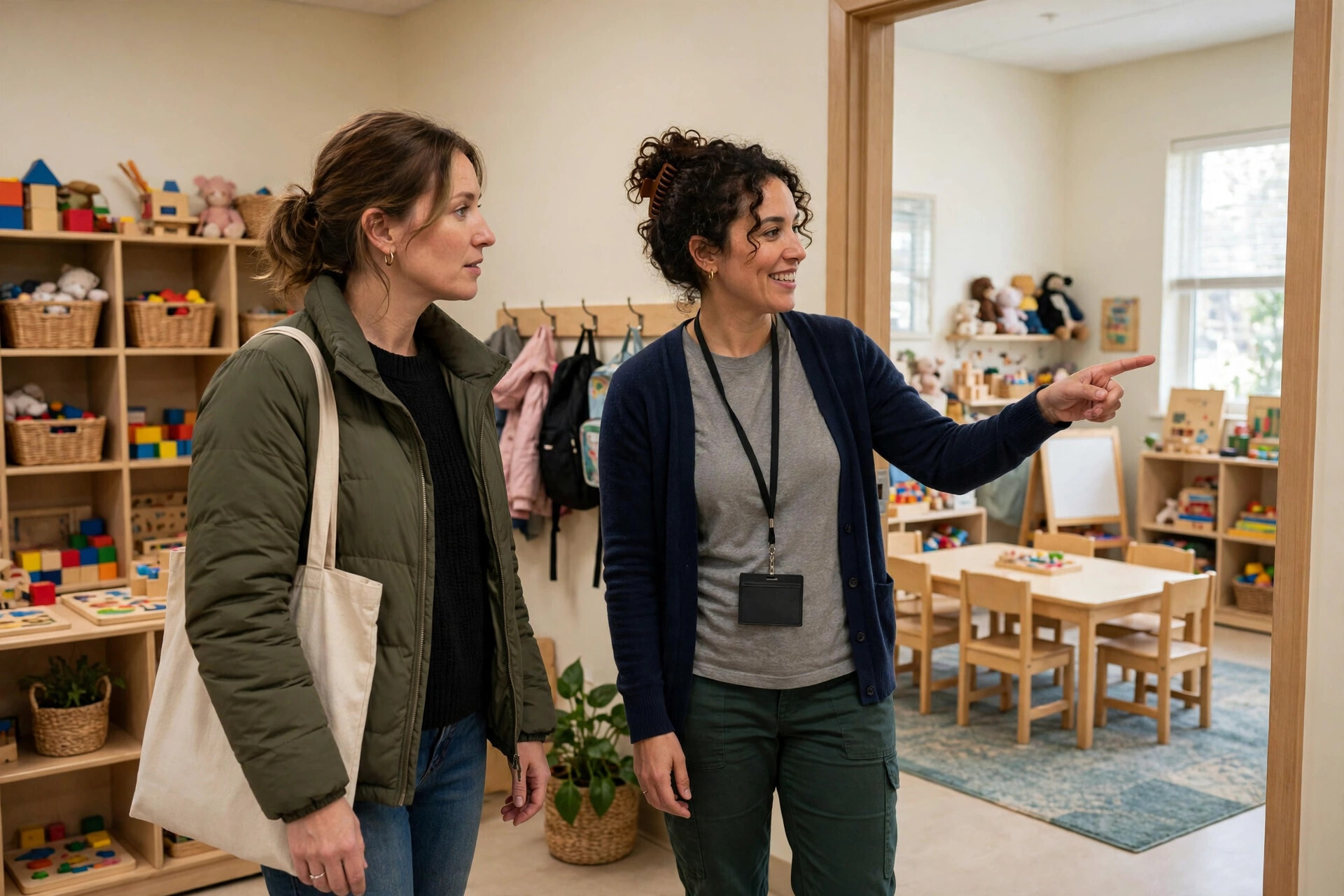
Treat every tour as the most important visit of the week, because for that family it is. Greet parents warmly, introduce the teachers their child would have, and show real classrooms in action rather than empty rooms. Explain your daily routine, safety procedures, meals, nap times, and parent updates. Answer questions honestly, including fees and waiting lists, and give parents a simple next step before they leave, such as a registration form or a follow-up call time.
Build Website Pages for Each Age Group
Parents of a six-month-old baby and parents of a four-year-old have very different questions, and a single generic "childcare" page cannot answer both well. Create a separate page for each age group you serve — infants, toddlers, preschoolers, and after-school children — so parents find exactly what they need and search engines show you for more specific searches.
Each age-group page should describe a typical day in plain language: arrival, play and learning, meals, rest time, and pick-up. Introduce that group's teachers, show photos of the classroom, and explain the skills children develop at that stage, from first words to early reading and social confidence. Add practical details parents always ask about: staff-to-child ratios, what to pack, illness policies, and how you handle separation anxiety in the first weeks.
End every age-group page with the same clear call to action: book a tour, call, or join the waiting list. Keep forms short — parent's name, child's age, desired start date, and a phone number or email address. Long forms discourage busy parents. When each page answers real questions and makes contact simple, your website becomes a reliable enrolment tool, not just a brochure.
Use Social Proof Photos With Permission and Care
Nothing sells a childcare center like joyful, real photos: children painting, building, reading, and playing outside. Parents want to see happy faces, engaged teachers, and a warm environment. At the same time, children's privacy must always come first: never publish a photo of a child without written permission from their parent or guardian.
Build a simple photo permission form into your enrolment pack, with clear options for website, social media, and printed materials. When you have permission, share a steady mix of photos and short stories: a new art project, a nature walk, or a teacher reading a favourite book. Caption photos with what children are learning, not just what they are doing, so parents see the educational value behind the fun.
Social media works best as a window into your center rather than an advertisement. Post consistently, reply warmly, and share practical tips alongside photos, such as lunchbox ideas or ways to ease first-day nerves. Parents who follow you for helpful content will think of you first when they need childcare and recommend your page to friends.
Follow Up Every Enquiry Quickly and Kindly
Many centers lose enrolments not because parents chose someone else, but because nobody followed up. A parent who enquires on Monday and hears nothing until Friday has often already toured two other centers. Aim to reply to every enquiry within one working day, ideally within a few hours during opening times.
Set up a simple enquiry system your whole team can use, even a shared spreadsheet. Record the parent's name, the child's age and desired start date, how they found you, and what they asked about. Send a friendly first reply answering their question, with tour times and an invitation to visit. If they do not reply, send one gentle reminder after a few days and one more the following week, each time adding something useful, such as the right age-group page or news of an open day.
After a tour, follow up the same day with a thank-you message, a recap, and the next step: a registration form, a waiting-list place, or a second visit. Keep waiting-list families warm with occasional updates so they do not drift away. Similar trust principles apply across caring local services, as shown in this guide to marketing for home care agencies. Thoughtful follow-up turns enquiries into enrolled families and, over time, into referrals.
A Simple Weekly Marketing Routine
On Mondays, check your Google Business Profile and reply to new reviews. Midweek, publish one helpful social media update for parents. On Fridays, review enquiries, follow up with anyone still waiting, and confirm next week's tours. Once a month, update website photos and check your hours, fees, and contact details. Consistency matters more than perfection.

Frequently Asked Questions
How long does it take for daycare marketing to bring in new enquiries?
It depends on your area, waiting list, and online presence. Centers that fix their Google Business Profile, gather reviews, and reply quickly often notice more tour bookings within a few weeks. Strong rankings and a trusted reputation take steady effort over months, so treat marketing as an ongoing habit, not a one-time campaign.
What is the best way to get more parent reviews?
Ask at happy moments, make it easy with a direct link, and thank every reviewer. Focus on genuine, detailed reviews from real families rather than many short, generic ones. Respond thoughtfully, because future parents read your replies as closely as the reviews themselves.
Should a small daycare center pay for advertising?
Paid advertising can help when you have open places to fill quickly or are launching a new classroom. Start small and local, send clicks to a specific age-group or tour-booking page rather than your homepage, and only increase spending on ads that clearly bring in real tour bookings.
How many photos should we share, and is it safe to show children's faces?
Share photos regularly, but only with written parental permission, and always follow your permission forms exactly. If a family has not given permission, photograph activities or classroom displays instead of identifiable faces. Safety and trust must always come before marketing.
What should we do if enquiries come in but few families enrol?
Look closely at your tour and follow-up process: how quickly you reply, whether tours feel welcoming, whether fees and next steps are clear, and whether you follow up after each visit. Often small fixes — faster replies, clearer pricing, a thank-you message after every tour — turn more enquiries into enrolments without extra advertising.
Conclusion: Fill Classrooms by Earning Trust Every Day
Filling every classroom with happy families is not about clever tricks or loud advertising. It is about being easy to find, easy to trust, and easy to contact, then delivering the warm, safe, joyful care parents hope for. When your profile is complete, your reviews tell a story of happy families, your tours feel welcoming, your website answers real questions, and your follow-up is prompt and kind, parents choose you with confidence.
Start with one step this week: update your Google Business Profile, ask three happy parents for reviews, or simplify your tour booking form. Then add the next step the following week, and keep going. Over time, these small, consistent actions build a reputation that fills classrooms and brings new families through the recommendations of parents you already serve well.




No comments:
Post a Comment